
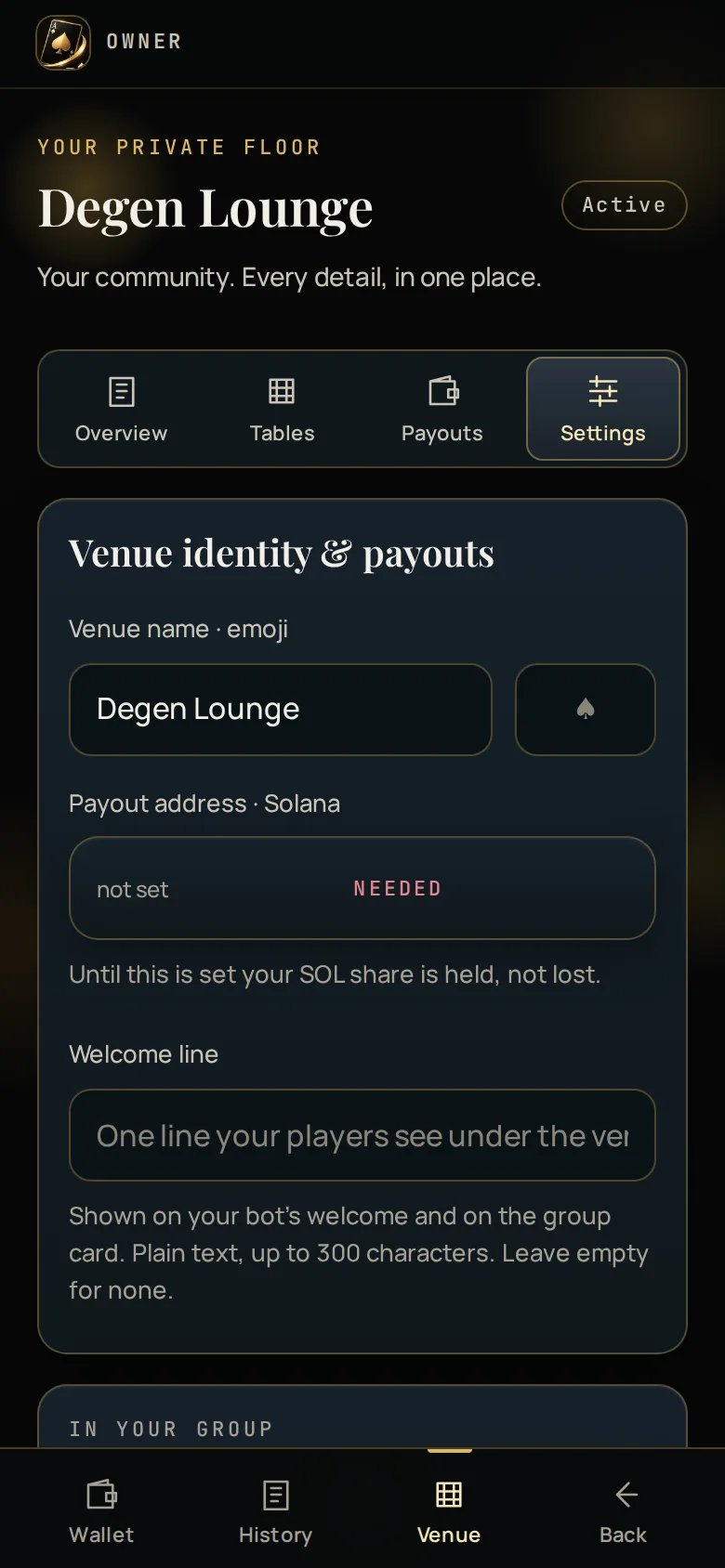
The owner Settings tab: venue name and emoji, announcement threshold, linked chats, managers and bot health.

Venue settings

Changes are validated inline and take effect immediately.

Managers

Add a manager by @username. A manager can:
  • See the dashboard, the period and the payouts
  • Rename tables and change their limits and seats
A manager cannot:
  • Change your payout addresses
  • Add or remove other managers
  • Close the venue
  • Play at this venue — the same rule that applies to you applies to them
Adding someone as a manager stops them playing at your venue. If one of your most active players is also the person you were going to make a manager, that is a real trade and worth thinking about before you make it.
Remove a manager the same way. Removing them does not restore their ability to play retroactively to any refused seat, but they can sit down from then on.

Bot health

The Settings tab reports whether your bot is connected and answering. If your token has been revoked in BotFather, this is where you will see it — along with the one action that fixes it. Rotate token opens your bot chat rather than taking a token in a web form. A token typed into a page lands in browser history and autofill; a token pasted in a chat is deleted as soon as it is read.

Powered by Ace Up

Your venue carries a small “Powered by Ace Up” line in the footer of the Rules and Fairness screens. Nowhere else — never on the table, never on the lobby, never in your group. This is not configurable. Players are entitled to know whose engine is dealing their cards and whose fairness proof they are checking.