
Who pays the fee
Ace Up does. The screen quotes the network fee from the chain itself before you tap, and the amount you enter is the amount that arrives. The send is not shaved. If the chain cannot be reached for a quote, the fee is left blank rather than guessed at.Automatic or approved
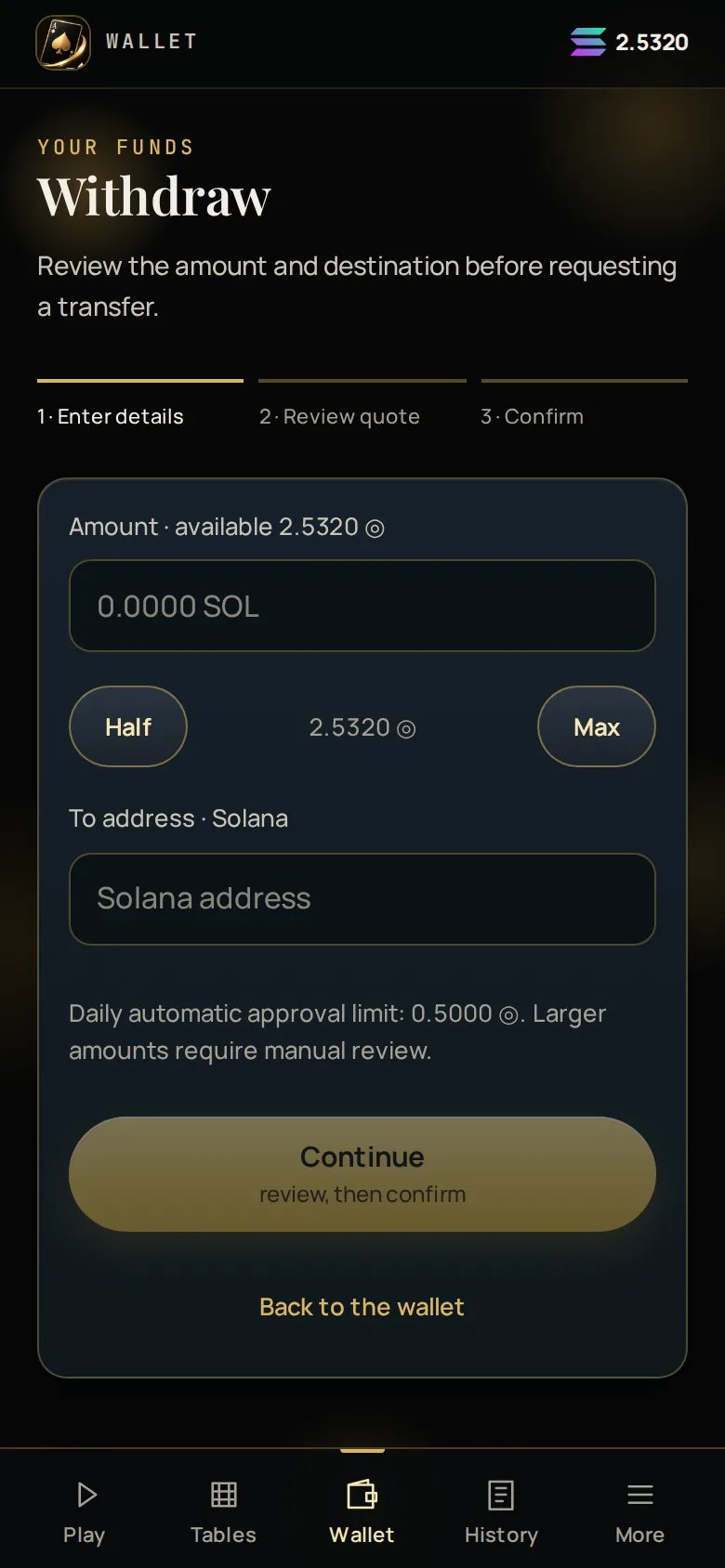
Most withdrawals are sent automatically as soon as you confirm them. Larger ones go to review, where a person approves them first. The threshold is a rolling daily total per asset, not a per-withdrawal cap — so two medium withdrawals in a day can tip the second into review. Your wallet shows your own remaining automatic allowance before you submit, so you always know which path a withdrawal will take. Review is normally cleared within a couple of hours. It is explained on screen while it is open, it can be cancelled, and it closes with a receipt either way.The confirmation
The request starts in the app; the confirmation happens in the bot DM. That is deliberate: it means a stolen session token cannot cash your balance out, because whoever holds it cannot also answer your Telegram messages. The confirmation expires after 10 minutes. An expired confirmation returns the money to your balance in full — nothing is left in limbo.1
Request
Enter the amount and address. The address is validated inline — a
✓ VALID appears before you can continue, and a saved address shows the
name you gave it.2
Confirm in the DM
Ace Up messages you in the bot chat. Confirm there within 10 minutes.
3
Queued, then sent
Under the daily limit it is queued and sent. Over it, it waits for approval
first. Either way the status is on screen with the transaction link once it
lands.
The whole path
Statuses you may see
What can hold a withdrawal up
- A deposit still inside its 60-minute hold. The rest of your balance is unaffected — only the held part is excluded.
- No destination address saved yet.
- An amount above the daily automatic limit, which means review rather than refusal.
Unaccepted new terms do not block a withdrawal. Nor does a paused or closed
venue — your balance is global and always reachable from the house bot.